Monday, April 1, 2019

April 2019 security patches are out for Google Pixel phones and Essential Phone

The internet may be obsessing over “jokes” today, but Google has dropped some real news on us. A new month has begun which means it’s time for a new batch of Android security updates. The patches have been released for the Google Pixel, Pixel XL, Pixel 2, Pixel 2 XL, Pixel 3, and Pixel 3 XL. The Pixel C is no longer receiving updates. As per usual, the Essential Phone is also receiving the update at the same time.

Last month, the Android security updates included several important functional patches for the Pixel 3 and Pixel 3 XL. Google has included a few functional patches again this month, including for the original Pixel and Pixel XL. The functional patches pertain to Google Assistant voice unlocking, Bluetooth connectivity, and a bug with Ambient Display.

Category Improvements Devices
Assistant Improves Voice-Unlocking performance for Google Assistant Pixel 3, Pixel 3 XL
Setup Adjust Wi-Fi connectivity during eSIM activation on certain carriers Pixel 3, Pixel 3 XL
Bluetooth Improves Bluetooth connectivity on Pixel devices Pixel, Pixel XL
Display Removes screen flash when ambient display wakes for some Pixel 3 devices Pixel 3, Pixel 3 XL

The Essential Phone update is also rolling out now. It includes improvements to the brightness and volume settings.

The OTA files and factory images for the Pixel devices can be found at the links below. Find the Android security files for your device and click “Link” to start the download. To flash the update manually without losing all of your data, follow the steps outlined in this tutorial. The OTA update for the Essential Phone has just started rolling out.

Device Factory Image OTA Files
Pixel 3 XL Link Link
Pixel 3 Link Link
Pixel 2 XL Link Link
Pixel 2 Link Link
Pixel XL Link Link
Pixel Link Link

Pixel Update Bulletin Android Security Bulletin

The post April 2019 security patches are out for Google Pixel phones and Essential Phone appeared first on xda-developers.

How to possibly keep using the Inbox by Gmail app on Android after its shutdown [Root]

Tomorrow marks the death of Inbox by Gmail, Google’s incredibly popular email client. Since Google announced the discontinuation of Inbox, the company has redesigned the Gmail app, rolled out a smart compose feature, and has announced plans to roll out an email scheduling feature. Two features which haven’t made their way over to the Gmail app include equivalents to the “Save to Inbox” feature, bundles, reminders, and pinned items, although the last three are reportedly in testing. The transition from Inbox to Gmail has been painful for many users, but if you have a rooted Android smartphone it may be possible to continue using Inbox for a little while longer.

While digging around into the APK, I learned a little about how the Android app will lock you out of it. It turns out that all it does is compare the current system time with midnight GMT tomorrow. If it’s past midnight tomorrow, then the Inbox app will no longer give you the option to press “not now” and continue using the app.

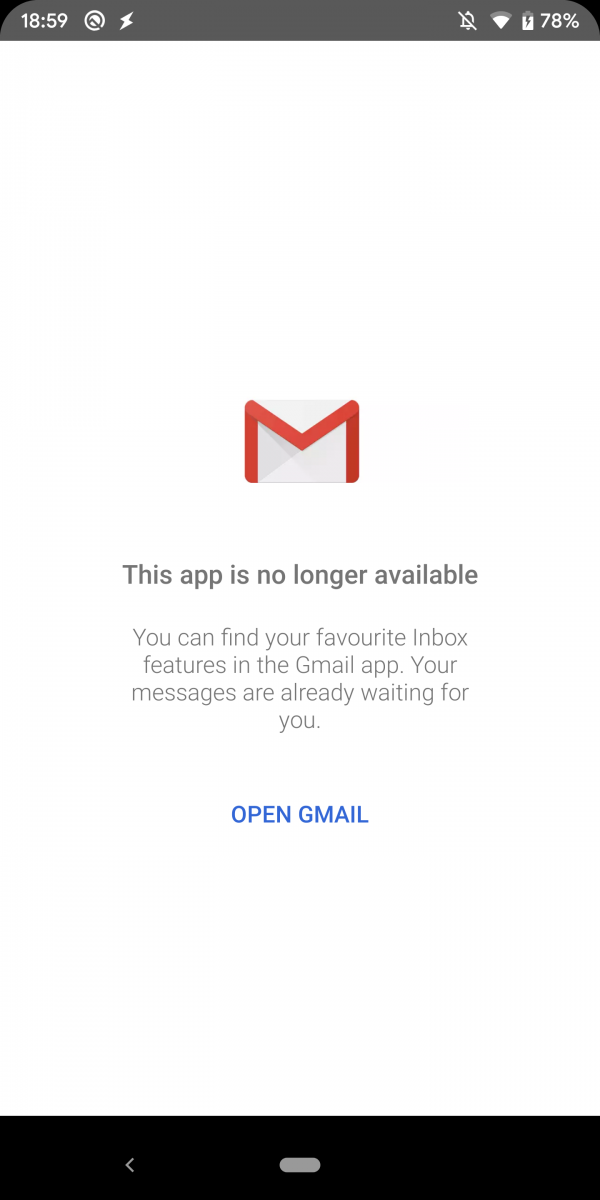
This is pretty easy to bypass, though. One way you can do it is by changing the date and time in Settings, but I do not recommend doing that because it’ll mess with tons of other apps that rely on the time (like weather apps, calendar apps, and Inbox itself.) Instead, all you have to do is launch the Inbox app with a flag telling it that the countdown timer is still active even when it’s not. This bypasses the check that the app uses to tell if time is up, and so the app will always show you the “not now” option. To test this, I changed the system clock to a much later date, resulting in Inbox telling me that “this app is no longer available” if launched normally, but still allowing me to use the app when I launch it using this trick. I can’t guarantee this will work forever nor can I guarantee that all of Inbox’s best features will work for very long, but this may hold you over until the Gmail app gets the promised Inbox features.

How to continue using Inbox by Gmail on Android

Requirements:

  • You will need the latest version of the Inbox by Gmail app.
  • You will need a rooted Android device because the activity you’re launching is unexported. Modifying the Inbox app is possible, but I don’t think many people will want to install a modded APK of an email client.

To bypass the check when launching Inbox, just run this shell command:

su
am start -n "com.google.android.apps.inbox/com.google.android.apps.bigtop.activities.SwitchActivity" --ez "countDown" true

Then after pressing “not now,” you can open the Inbox app normally to continue using it. You won’t have to re-enter this command if Inbox is still in memory, but if you’re doing a clean launch of the app you’ll have to re-enter it. If you would rather not run this command over and over again, I made a quick app using Tasker that just sends this command for you. You can download it from here. Once installed, just tap on the “Start Inbox” app to run it. It’ll ask you to grant it root access so it can run the command.


Thanks to PNF Software for providing us a license to use JEB Decompiler, a professional-grade reverse engineering tool for Android applications.

The post How to possibly keep using the Inbox by Gmail app on Android after its shutdown [Root] appeared first on xda-developers.

Skype for Android bug allowed calls to automatically be answered, but a fix is rolling out

It’s been a long time since I was asked to use Skype, with the service being superseded by the likes of Discord, WhatsApp, Facebook, and even Google Hangouts. Some business people still use it, likely out of reluctance to switch to alternative services, but Skype is still very much alive and kicking. According to a report from AndroidPolice, however, users are reporting that their devices are automatically answering Skype calls.

Skype has an option that allows you to have calls be automatically answered, though the feature obviously has a niche target market. However, it appears that whether you have it on or off doesn’t matter, as users are reporting that their devices are automatically answering the calls anyway. The first noted bug report of the issue can be seen on Microsoft’s forums way back in January, with the number of people affected slowly growing. Surprisingly, it appeared that wearables were the culprits in some cases as once users disconnected them, the issue disappeared. That wasn’t the case for everyone, though. Microsoft’s reasons for having the option in the first place are pretty reasonable, though you’d probably use other products to fulfill the purpose of a baby monitor or pet monitor.

Microsoft forum members are reporting that the latest preview version of Skype fixes the issue, which you can get via signing up for the beta or on APKMirror. If you’re not affected, then you don’t need to do anything. The best way to test is to have a friend call you on Skype and leave it ringing for a few seconds. If it doesn’t automatically answer, then you’re good to go. Otherwise, we recommending updating or uninstalling the application until it’s fixed for privacy reasons. If Skype were a more widely-used application, the consequences of this bug could have the potential to be catastrophic.

Skype Preview (Free, Google Play) →


Via: AndroidPolice

The post Skype for Android bug allowed calls to automatically be answered, but a fix is rolling out appeared first on xda-developers.

Google is no longer selling the Pixel 2 or Pixel 2 XL

The Pixel 2 and Pixel 2 XL were launched back in October 2017, providing the next iteration in Google’s hardware platform to show off all of its software accomplishments. Both the devices sported flagship-grade hardware that allowed them to age well to this day. The devices were succeeded by the Pixel 3 and Pixel 3 XL, once again following the same basic philosophy as above.

Pixel 2 XDA Forums Pixel 2 XL XDA Forums

Google has now stopped listing the Pixel 2 and the Pixel 2 XL on the official Google store. It is common for OEMs to stop producing older devices after a certain point and divert resources completely towards newer models, and Google has finally reached that point. The “Phones” section of the Google Store now only lists the Pixel 3, Pixel Stand, Pixel Buds, cases, and other accessories. You can find the devices mentioned in the “Find the right Pixel for you” section alongside the original Google Pixel and Pixel XL, but you can only purchase the Pixel 3 and Pixel 3 XL.

The Pixel 2 and Pixel 2 XL made for a compelling purchase decision, especially if you wanted the best camera available on an Android device. The devices continue to remain relevant to this day, as Google also blessed them both with Android Q Beta 1. The devices will also get at least 3 years of Android version updates and Android security updates, i.e. at least up to October 2020. But the phones are no longer being officially sold through the Google store, so you should consider getting the newer Pixels instead.


The post Google is no longer selling the Pixel 2 or Pixel 2 XL appeared first on xda-developers.

Ahead of Inbox’s death, Google announces that Gmail will get email scheduling

Inbox by Gmail is no more as we have now crossed over the March 2019 timeline that Google had set to discontinue Inbox. Gmail has been one of Google’s signature products, the one that lent its identity among the eyes of the consumer. Google has been working on migrating over some of Inbox’s popular features to Gmail, and while those may still be coming, Gmail is getting some new features that will help lessen the pain that Inbox fans are feeling right now.

Starting off the list of upcoming features is Smart Compose, a feature that was launched as a Pixel 3-exclusive but eventually saw a much wider rollout. Smart Compose is now getting smarter, as Google is now including four more languages, namely Spanish, French, Italian, and Portuguese, to the AI-powered predictions. It will also begin personalizing suggestions based on your unique writing style. Smart Compose will be able to suggest a subject line for your emails based on the contents of the body. The feature is also slated to make its way to iOS soon.

Gmail is also getting the ability to schedule the delivery of emails, which is a simple yet powerful addition. This way, you can be more appreciative of people’s working hours and downtimes, and choose an appropriate time to deliver your email for the most beneficial impact.

Lastly, Gmail is also getting dynamic email functionality. This allows emails to remain up-to-date with information in case they consist of comment threads or other such content. You can also take action directly from within the email itself, like reply or resolve the updated comment thread. Businesses have already begun adapting their communications to utilize dynamic emails and be more actionable and relevant. You can look forward to dynamic emails from services like Booking[dot]com, Despegar, Doodle, Ecwid, Freshworks, Nexxt, OYO Rooms, Pinterest, and redBus.

Gmail (Free, Google Play) →


Source: Google Blog

The post Ahead of Inbox’s death, Google announces that Gmail will get email scheduling appeared first on xda-developers.

JioSaavn, Gaana cut annual subscription rates by 70% to counter Spotify, YouTube Music in India

Spotify’s launch in India set the gears of the country’s music streaming industry into motion, inspiring YouTube to launch YouTube Music in the country. But Reliance Jio, which had disrupted the domestic telecom market and led to an onset of super affordable 4G and VoLTE services in India, is looking to mobilize music streaming in a similar way. The prices of its music service JioSaavn have been slashed by 70% from ₹999 to ₹299 annually.

This substantial price cut is likely to shake up the foundations of Spotify’s and YouTube’s music streaming business in the country. This is because JioSaavn’s new annual price (₹299) is even less than what Spotify charges every quarter (₹389) in India. Alongside JioSaavn, another Indian music streaming service provider – Gaana.com – has followed the suit and cut down its annual tariff from ₹1198 to ₹299. On top of that, Gaana also has a special Students’ Pack that costs only ₹148.

Besides the annual subscription, users can also subscribe to monthly plans of both – JioSaavn Pro and Gaana Plus – at just ₹99. Gaana Plus users can also buy a quarterly subscription for ₹199. In contrast, listeners must pay ₹129 for a monthly subscription of Spotify or ₹99 per month for YouTube Music, which has none other than a monthly plan. As part of their introductory offers, Spotify and YouTube Music are only offering a free trial to Indian users for one and three month(s) respectively.

With its entry in India, Jio brought down other telecom operators to their knees by offering attractive combos including data and voice services at nearly a tenth of the previous prices. This instigated a tariff war in India and also compelled other operators to offer services at prices comparable to Jio’s tariffs, if not necessarily lower. Now, with the new prices by JioSaavn and Gaana, India looks poised to become a turf for another tariff war and this time it can be streaming and entertainment services. The trend has already started to emerge with Netflix launching its cheapest plan in India.

So, we wait to see whether Spotify’s much-hailed recommendations system and YouTube Music’s strong backbone would save them from being slayed at the hands of the expectations of India’s price-conscious consumer or not.

The post JioSaavn, Gaana cut annual subscription rates by 70% to counter Spotify, YouTube Music in India appeared first on xda-developers.