Monday, April 1, 2019

The 5G Samsung Galaxy S10 launches in South Korea this week

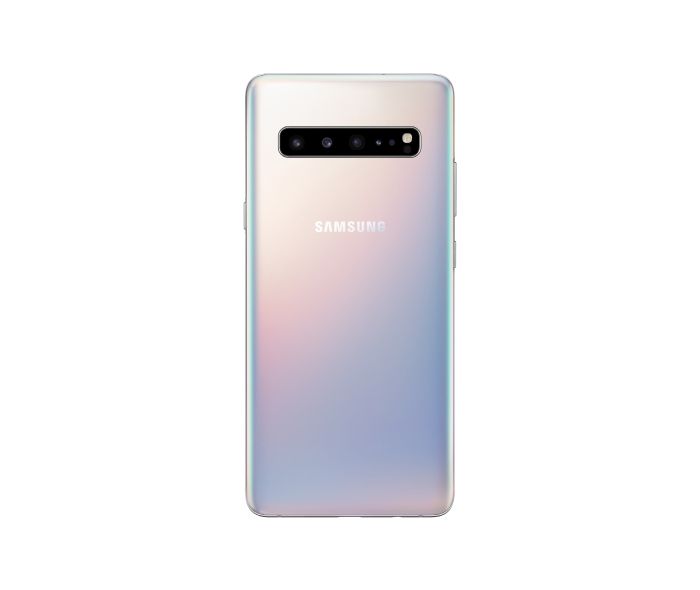
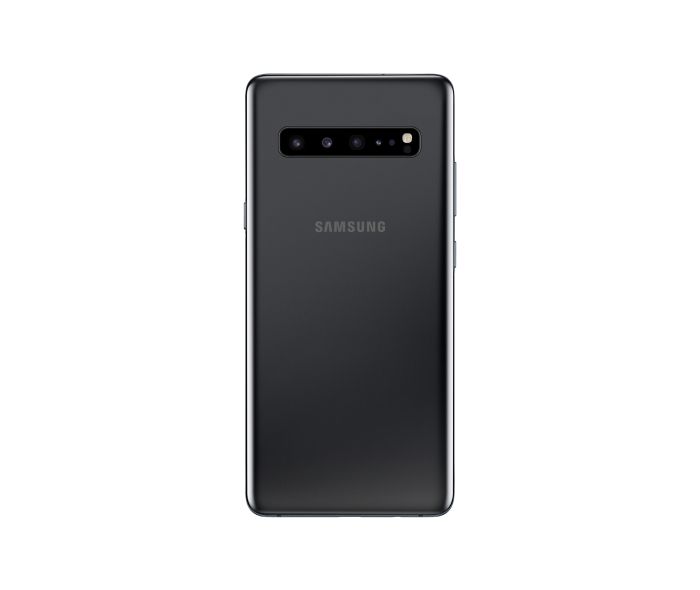
Samsung has taken a lead over other smartphone manufacturers and launched the first commercial 5G smartphone. In a press note, the Korean giant confirmed earlier reports of the Samsung Galaxy S10 5G launching this month and announced that the smartphone will be available in South Korea starting this Friday i.e April 5. The 5G variant of Galaxy S10 is the largest among its siblings and Samsung will not refrain from charging the Koreans for the luxury this smartphone will offer.

Being the first smartphone to harness the power of 5G, the Galaxy S10 5G will be powered by Exynos 9820 using an Exynos Modem 5100. The chipset is paired with an 8GB of RAM and Samsung will allow buyers to choose between 256GB and 512GB options for storage. The Verizon-exclusive Galaxy S10 5G, tipped to arrive in the U.S. in June, will be powered by a Snapdragon 855 chipset.

Featuring a 6.7-inch edge-to-edge Quad HD+ “Curved Dynamic” AMOLED display, the Galaxy S10 5G is even larger than the Galaxy S10+. The majestic display will provide for a highly immersive experience while consuming video content and playing games and this beautiful display will be complemented by striking colors such as Majestic Black, Royal Gold, Crown Silver.

samsung galaxy s10 5g samsung galaxy s10 5g samsung galaxy s10 5g

For photography, the Galaxy S10 5G has an extra camera compared to the Galaxy S10+, adding up to a total of six cameras. The smartphone is equipped with 3D depth sensors on both sides. Apart from accurately predicting the distance between the smartphone and any object for bokeh images and videos, the 3D depth sensor will also able to measure objects physically using Quick Measure.

To provide adequate power for the demanding multimedia experience, Samsung has built a 4500mAh battery into the Galaxy S10 5G with support for fast charging at 25W. For the performance of 5G, Samsung says that the smartphone will provide for download speeds up to  2Gbps such that users will be able to enjoy immersive AR and VR experiences without any lag and download entire seasons of their favorite TV series in a few minutes. That claim is what most reviewers and users will be interested in testing.

In South Korea, the Samsung Galaxy S10 5G will be starting at a price of at 1,397,000 won (~$1,230) for the 256GB variant. The pricing in other markets, including the U.S., is yet to be announced.

Korean telecom operators LG Uplus, KT, and SK Telecom, are offering several freebies such as VR headsets, wireless vacuum cleaners, Samsung TVs, free lunches and whatnot, hoping to grab the maximum share of subscribers upgrading to 5G. While 5G services were earlier supposed to arrive in March earlier, the rollout has been delayed until later this year due to lack of readiness of the telcos. Meanwhile, LG will also be launching its 5G-compatible LG V50 ThinQ in Korea later this month for a price tag of 1,199,000 won (~$1,055).

The post The 5G Samsung Galaxy S10 launches in South Korea this week appeared first on xda-developers.

Developer boots Windows 10 on ARM on the OnePlus 6T

Back in 2017, when Microsoft introduced a version of Windows 10 on devices powered by ARM chips, it sparked hopes about the potential of always-connected Windows laptops. Since then, Microsoft and Qualcomm have been collectively vouching for the game-changing benefits of these always-connected PCs. In October last year, the software giant also announced an SDK allowing developers to port their x86 apps for ARM64 chips. But little did we know that some developers would be a step ahead of Microsoft in terms of reaping the benefits of Windows 10 on ARM processors.

Bas Timmer, a software developer from the Netherlands, who goes by the alias NTAuthority has been fiddling with the ARM64 build of Windows 10 on devices with much smaller displays than typical always-connected Windows laptops like the Snapdragon 850-powered the Samsung Galaxy BOOK2 or the Lenovo Yoga 630 WOS. Lately, Timmer has been experimenting with Windows 10 on Android smartphones like the Google Pixel 3XL and their latest experiment was on a OnePlus 6T.

Besides booting Windows 10 on a OnePlus 6T, Timmer also managed to run into a blue screen of death (BSOD) error. Timmer shared no instructions about how to get your own “OnePlus 6T 🙁 Edition”, so it can be expected that trying to get your Android smartphone running on Windows might not be a very gratifying experience.

The developer also noted that getting touch working on the OnePlus 6T will be fairly easy since the Samsung’s Super AMOLED display the 6T uses a Synaptics touchscreen controller. This is perhaps because many Windows laptops use trackpads developed by Synaptics. While Timmer did not share any glimpse of the Windows 10 desktop GUI, the idea of Windows running on a smartphone is utterly intriguing for anyone who cared about either Android smartphones or Windows or both. And the fact that that most of us would not want to use it on a daily basis does not make it any less exciting.

Lastly, we hope to many more Android devices running on Windows, courtesy of NTAuthority. If you have any special requests, you may try commenting on their tweets or reach out to them via any of their contact points listed on their website. As for the future of the always-connected laptops lies, we can expect 5G to propel their adoption. In the meantime, we also hope for such laptops to become capable of running power-hungry applications like photo and video editing or music composing.

The post Developer boots Windows 10 on ARM on the OnePlus 6T appeared first on xda-developers.

MIUI 10 Global Beta 9.3.28 brings April 2019’s Security Patches and System-wide Dark Mode to some devices

MIUI is Xiaomi’s take on customizing Android for their devices, adding on several new features on top of stock Android, to the point that you cannot often immediately recognise the base Android version on a Xiaomi device. Xiaomi runs a continuous public Beta channel for several of its devices, giving the community a chance to try out new features before they can make their way over to the Stable channel. The latest MIUI 10 Global Beta 9.3.28 brings over April 2019’s security patches and system-wide dark mode to some of the supported devices.

The official changelog posted in MIUI forums is as below:

  • Add Dark mode:
    After opening, the system interface and some applications will use dark color as the main color.
    Go to Settings -> Display -> Dark Mode
  • Updated Android Security Patch (March 2019)
    Increased system security.
  • Virus scan started over after users tapped the results of a completed scan.
  • Battery indicator didn’t disappear when the Notification shade was opened on the Lock screen.
  • Adding passwords while transparent wallpapers are applied.
  • Issues with displaying notifications on the Lock screen.
  • Errors occurred while entering passwords and PINs.

However, based on the user feedback received so far, the official changelog appears to be incorrect in a few places. For instance, dark mode is not available across all devices: it continues to remain absent for the Poco F1, while users on the Xiaomi Redmi Note 5 Global and Xiaomi Mi 8 report that dark mode is present.

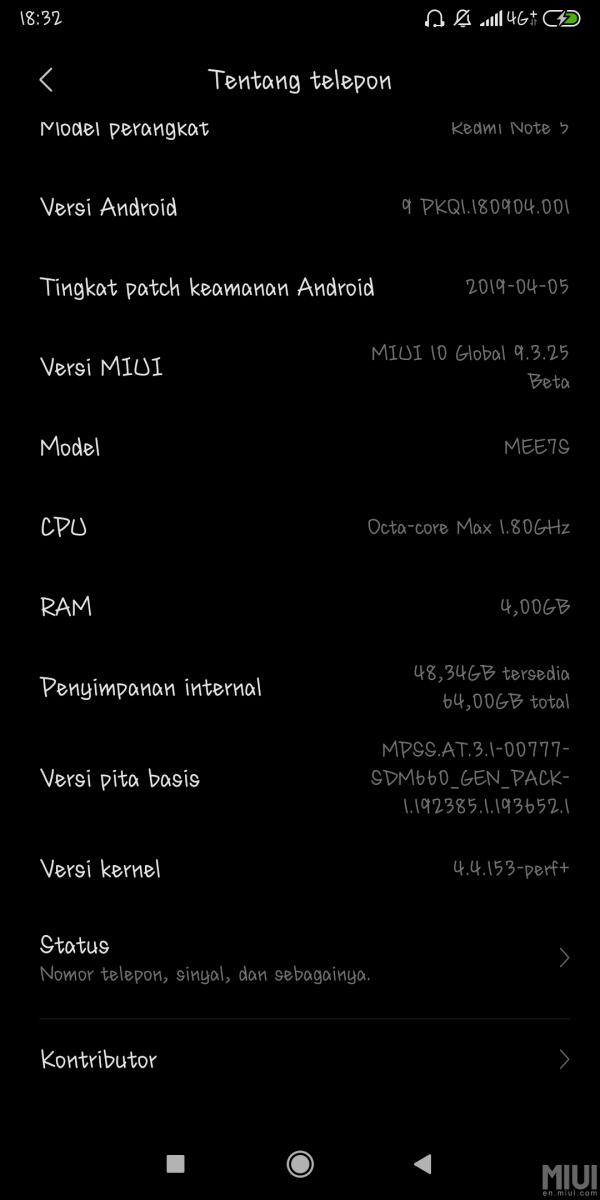
Further, the official changelog mentions March 2019’s security patches, but the About Phone screen from a few devices show that the phone is on April 2019’s security patches. The Poco F1 and Mi 8 are reportedly on April 1, 2019’s security patch level, while the Redmi Note 5 Global has a patch level dated April 5, 2019. Google hasn’t yet detailed what is new in these security patches, but these patches are usually shared with OEMs beforehand in order to be incorporated within updates.

MIUI Member Ilovemi8 has posted a list of changes that they have found in the latest Beta for the Mi 8. Changes include updated security patch, system-wide dark mode, improved notification settings, new battery style indicator (grey – discharge, green – charging, blue – fast charging), and changeable notification styles. You can find screenshots of the new features in their post.

MIUI 10 Global Beta 9.3.28 is released for a whole host of devices as mentioned in the official announcement post. The update is not available for the Redmi Note 4X, Redmi Note 4 MediaTek, Redmi 5 Plus, Redmi S2 and Mi 9. The update marks the first set of releases for the Redmi Note 5 and Redmi Note 5 Pro on Android Pie, which we noted last week. As a side note, some users have reported that this Beta has issues with mounting the microSD card on the Redmi Note 5, so take adequate backups accordingly.

You can download the latest Beta for your device from the official downloads page.

We hope Xiaomi improves upon its changelogs to accurately reflect the incorporated changes on a per-device level.


Source: MIUI Forums

The post MIUI 10 Global Beta 9.3.28 brings April 2019’s Security Patches and System-wide Dark Mode to some devices appeared first on xda-developers.

Google Pixel’s Call Screen feature may come to Motorola and Nokia Android One phones

Call screen is one of the most useful applications of the Google Assistant. Activated by default on Google Pixel devices, Call Screen acts as a shield between you and annoying spammers. It uses Google Assistant to ask callers about their objective of calling and transcribes their response in real-time. With this, you can easily decide whether you must attend your caller or give them a cold shoulder. Using smart replies, Call Screen lets users ask follow-up questions from callers so as to effectively combat scammers, bots, and also helps in meetings and noisy environments.

Alas, Call Screen is a feature limited to the Google Pixel 3/3XL and older Pixel smartphones. But there is a possibility that it could soon be rolled out to Nokia and Motorola smartphones. The latest beta of the Google Phone app has hidden instances which point to Google’s testing of Call Screen on certain devices from Motorola and Nokia. These references of Call Screen were pulled up by Reddit user u/hkyq.

call screen google phone

Last year, HMD Global announced that all devices upwards of Nokia 2 will be launched under Android One, implying that they already have an edge over others in terms of receiving Google’s best applications of technology. Meanwhile, Motorola too announced Motorola One and Motorola One Power under Android One banner last year after betting on stock Android for its smartphones since the very first Moto G device. Thus, Android One smartphones are expected the earliest recipients of Call Screen if it extends to devices outside of Google’s own catalog.

It must be noted that Call Screen is currently available only for English-speaking users in the U.S. and was recently rolled out in Canada as part of a beta trial. By launching it on other devices, Google might be planning to target native English speakers in regions other than North America. Meanwhile, if you’re in Canada, you can sign up as beta tester for the Google Phone app and set Google Assistant’s default language to English (Canada) to screen you calls before you take them.

Phone (Free, Google Play) →


Source: Reddit user (u/khyq0)

The post Google Pixel’s Call Screen feature may come to Motorola and Nokia Android One phones appeared first on xda-developers.

Sunday, March 31, 2019

How to install Linux on the Chuwi Hi10 Air

There’s a lot of Chinese brands putting out exceptional devices at the moment–just have a look at brands like Huawei, Xiaomi, and OnePlus for examples of this. But the Chinese market is big, and there’s a lot more than meets the eye when it comes to Chinese OEMs. Chuwi currently figures as one of these lesser-known Chinese brands, but nonetheless, their devices are still worthy of attention and still have a place for discussion in our forums.

The Chuwi Hi10 Air is one of such devices, and being Windows-based (and x86-based), you can get Linux up and running on it with relative ease. XDA Recognized Developer Myself5 has made a guide for those interested in getting Linux working on their tablet. Check it out now!

Check out Linux for the Chuwi Hi10 Air now!

The post How to install Linux on the Chuwi Hi10 Air appeared first on xda-developers.

Not all Bluetooth 5-enabled smartphones are created equally, here’s why

Bluetooth, despite being there since day one of modern smartphones, is still evolving. A new iteration of the Bluetooth specification is released every few years, the latest of which is Bluetooth 5, announced in 2016. While the majority of smartphones these days officially support it, a large number of smartphones are missing key functionalities defined in the Bluetooth 5 specification. This was recently highlighted in post on Reddit which caught our attention. Bluetooth 5 brings many new improvements and optimizations, but several of them are sadly optional. What this means is that smartphone manufacturers can correctly claim their device supports Bluetooth 5 while missing some of the key improvements in the specification.

New PHYs

One of the important new features that the Bluetooth 5 specification defined is a choice of three PHYs. PHY is an acronym for Physical Layer, which, in essence, is the chipset. At a minimum, chipsets must support LE 1M PHY to support Bluetooth 5. LE 1M PHY is the PHY used in Bluetooth 4 and it has a symbol rate of 1 mega symbol per second (Ms/s). LE 2M PHY, however, doubles this speed at 2 Ms/s. Then there’s LE Coded PHY which provides approximately four times the range of Bluetooth 4 without an increase in power consumption.

What’s key about LE 2M and LE Coded is that, for Bluetooth 5, neither of them are mandatory. This means that manufacturers can provide the same communication abilities as Bluetooth 4, but tout Bluetooth 5 support. While most devices support either LE 2M or LE Coded, the vast majority do not support both.

Extended Advertising

Another improvement that Bluetooth 5 brings is longer advertising packets. Advertising packets are what your device broadcasts when it attempts to communicate with other devices, essentially advertising itself to other devices. Longer advertising packets mean that your device can send more information about itself and receive more information about other devices. Beacons benefit the most from extended advertisements. A beacon is a small Bluetooth transmitter that companies use for product advertising, among other things. A beacon could be deployed, for example, at an amusement park, and as people walk by their phones would pick up the signal from the beacon and receive information about a certain attraction. The longer the advertising packet, the more information that could be given. In Bluetooth 4, advertising packets were limited to 37 octets of information. In Bluetooth 5, however, packets can be up 255 octets long, a massive improvement.

Again, though, extended advertising length is not mandatory in Bluetooth 5. What’s more, extended advertising is not backwards compatible, meaning that Bluetooth 4 devices will not even be able to receive packets with the extended lengths. This is bad because it means that the few devices that do support extended advertising lengths will have almost no other devices to utilize it with.

Feature Bluetooth 4 Bluetooth 5
LE 1M Yes Yes
LE 2M No Yes (Optional)
LE Coded No Yes (Optional)
Extended
Advertising
No Yes (Optional)

In summary, three of the main features that are available in Bluetooth 5 do not have to be supported for a device to classify as Bluetooth 5-enabled. There are, of course, other features that Bluetooth 5 brings that are mandatory—such as improving interference with other frequencies—but these are more so quality-of-life improvements than game-changing stuff.

Does my device support any of these features?

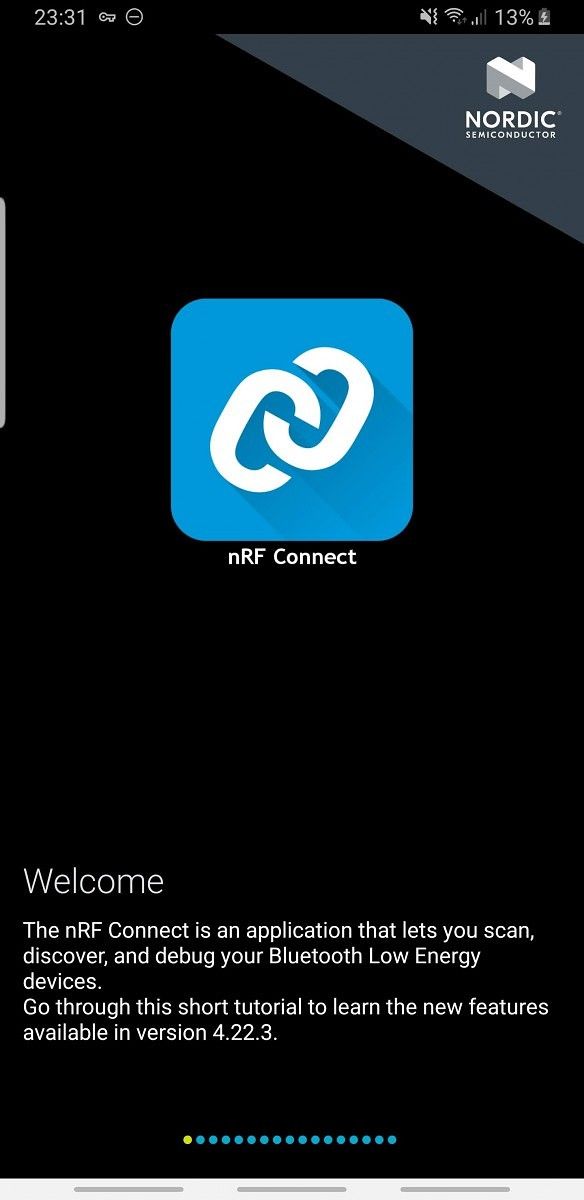
There’s a pretty simple way to test if your device supports any of the three features mentioned above. To start, simply download nRF Connect from the Google Play Store.

nRF Connect for Mobile (Free, Google Play) →

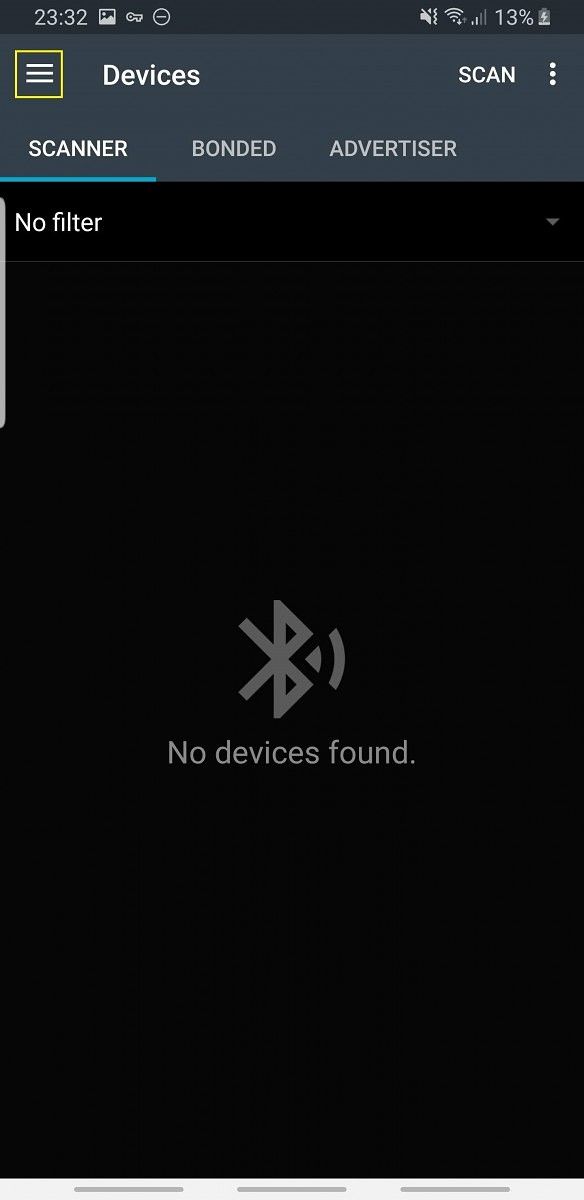
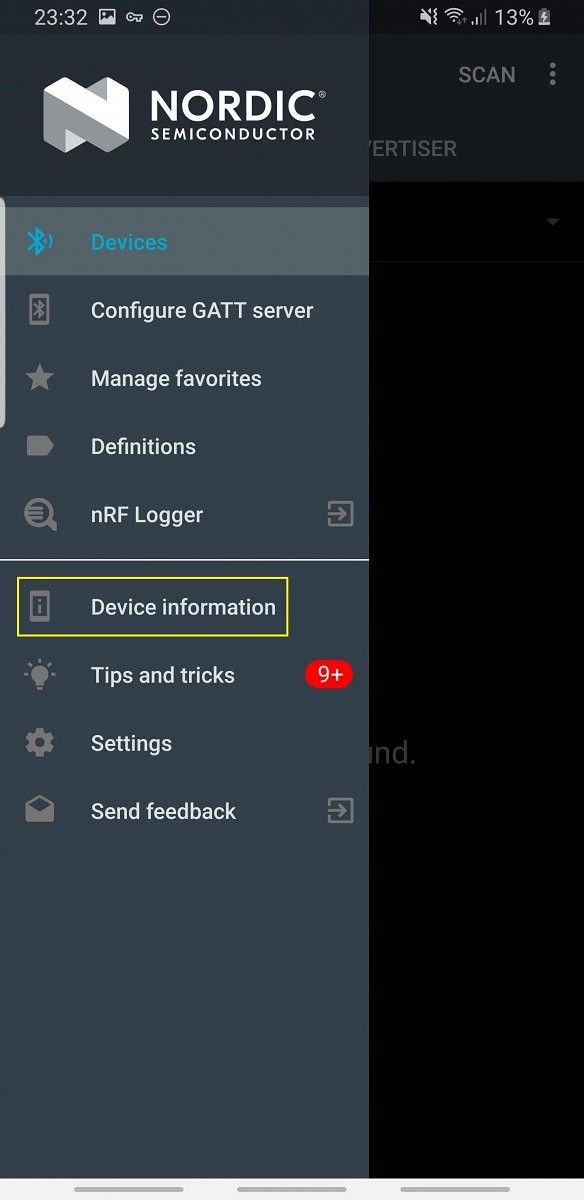
From there, scroll through all the introduction messages (Image 1). Next, click “OK” to allow the app to copy files to your device, these are crucial to the app functioning properly (Image 2). Now, tap the three-bar “hamburger” button on the top left of your screen, then tap “Device information” (Images 3 & 4). You should see a list of features with “YES” or “NO” alongside them. If “High speed (LE 2M) supported” has a yes next to it, your device supports the 2x speed of Bluetooth 5. If “Long range (PHY Coded) supported” has a yes next to it, your device supports the 4x range of Bluetooth 5. If “Extended advertisement supported” has a yes next to it, your device supports the 255 octet advertising of Bluetooth 5 (Image 5).

Currently, a lot of flagships appear to be missing at least one of these features. However, improvements are being made. While the Samsung Galaxy S9+ only supported one of the features—the PHY 2m layer—the Galaxy S10+ supports all three. Xiaomi and OnePlus flagships also support all three features. Famously cheap devices such as the POCO F1 also support everything, so it’s unlikely that price is the source of the problem here.

It’s unusual for Samsung to only recently add support for all three features, given their history of stuffing as many features as they can into devices. It’s also surprising that OnePlus have included everything, given their prior reluctance to add support for features they don’t consider necessary. Less surprising is Xiaomi’s full support, in the past they’ve been no stranger to feature-packed phones. That being said, some may disagree, given Xiaomi’s previous qualms about adding support for popular features such as the Camera2 API.

Device LE 2M LE Coded Extended Advertising
Samsung Galaxy S10+ (Snapdragon) Yes Yes Yes
Xiaomi Mi 9 Yes Yes Yes
OnePlus 6T Yes Yes Yes
Huawei Mate 20 Pro Yes Yes Yes
Huawei Mate 20 X Yes No No
Google Pixel 3 Yes No Yes
Nokia 7 Plus Yes No No
Razer Phone 2 Yes No Yes
Pocophone F1 Yes Yes Yes
Samsung Galaxy Note 9 (Snapdragon) Yes No No

It’s a shame that so few devices support everything specified in Bluetooth 5, because for the new features to be utilized, communicating devices both need to support the feature. According to the users who chimed in with their devices’ information on the aforementioned Reddit thread, the market is currently closer to 0% than it is to 5% of fully supported devices. Thankfully, more recent flagships seem to be supporting all the major features.

Bluetooth 5 was a big step forward for device connectivity, so it’s amazing that it’s taken the smartphone community this long to catch on. But now that it’s been made clear just how much we’re missing out on, we can let OEMs know that missing out on such features is unacceptable, and hopefully cement the changes they are already starting to make.

The post Not all Bluetooth 5-enabled smartphones are created equally, here’s why appeared first on xda-developers.

Omnia Music Player is a new Material Design audio player with Google Cast and Android Auto support

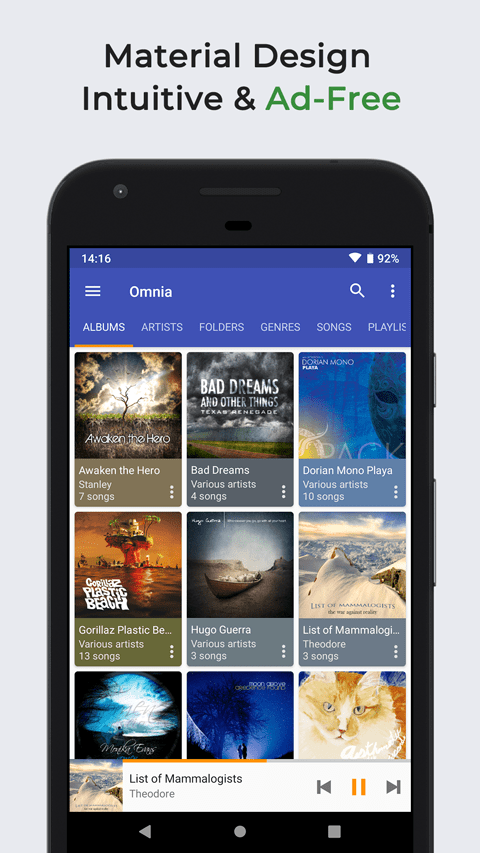
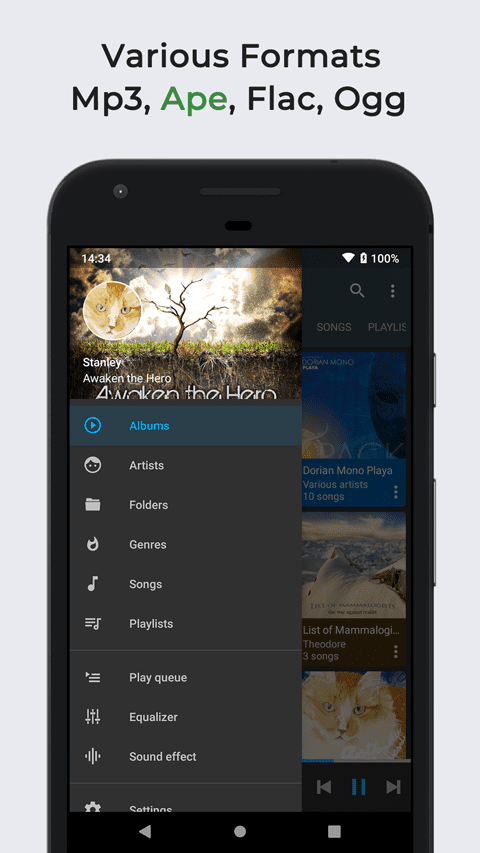
Music Players are a dime a dozen on the Google Play Store, but good music players are rarer. There are a bunch of popular players that have built up their fan following over the years, but it doesn’t hurt to have more options. With that in mind, meet Omnia Music Player, a new audio player with Material Design, Google Cast and Android Auto support, and more.

Omnia Music Player - Features

Features:

  •  Free of advertisements.
  • High-resolution audio output.
  • Lossless audio support such as APE.
  • OpenSL / AudioTrack based output methods.
  • Gorgeous user interface with material design.
  • Manage and play music by album, artist, folder, and genre.
  • Smart playlists with most played, recently played, and newly added tracks.
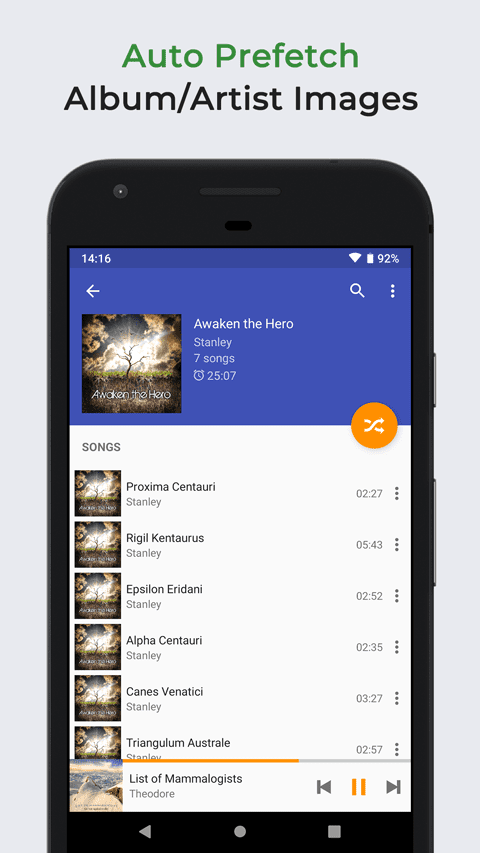
  • Automatic sync missing album/artist images.
  • Fast search across albums, artists, and songs.
  • Volume normalization based on ReplayGain
  • Built-in metadata tag editor (mp3 and more).
  • Display lyrics (embedded and lrc file).
  • Resizable home screen widget.
  • Gapless playback support.
  • 10-band equalizer and 15 pre-built presets.
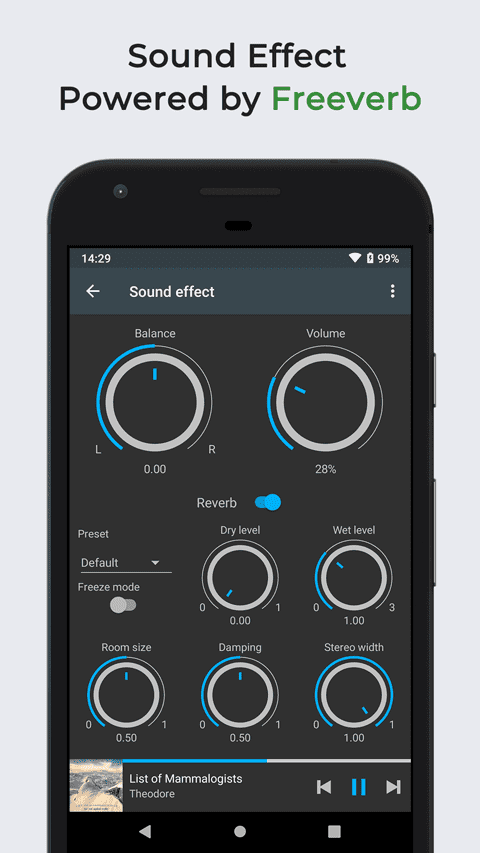
  • Flexible reverb settings powered by Freeverb.
  • Sound balance adjustment.
  • Play speed adjustment.
  • Crossfade support.
  • Chromecast (Google Cast) support.
  • Google voice commands support.
  • Colorful themes, fully customizable.
  • Background image from gallery.
  • Android Auto support.
  • Last.fm scrobbling.
  • Sleep timer.

Omnia Music Player comes from the same developer who brought to you Pular Music Player, so there is a lot of similarity between the two. But there are a few key differences. As per the developer, Pulsar utilizes Android’s native decoders and native media store, and is hence bound by the limitations of that decoder such as lack of support for certain media formats, 5-band equalizer, lack of support for white listing in media library, etc. Omnia uses its own decoders and media library, allowing for support for APE lossless audio format, 10-band equalizer and more changes. On the other hand, Pulsar is considered stable, while Omnia is considered to be in beta.

Omnia Music Player XDA Thread

Try out Omnia for yourself, and be sure to leave constructive feedback for the developer!

Omnia Music Player - MP3 Player, APE Player (Beta) (Free+, Google Play) →

The post Omnia Music Player is a new Material Design audio player with Google Cast and Android Auto support appeared first on xda-developers.